Most redesigns fail quietly. The new site looks better, launch day goes fine, and three months later the phone rings less and nobody can say why. This website redesign checklist is the order I work in so that doesn’t happen: measure what the old site does, decide what the new one must do better, protect everything Google already trusts, and check the result against real numbers after launch.
It is written for small business owners hiring someone, or doing it themselves. It is not a list of design trends.
Before you redesign: decide if you should
A redesign is the right call when the site is actively contradicting your business: it is slow on a phone, it describes services you no longer offer, it can’t be updated by anyone on your team, or it looks less trustworthy than you actually are. It is often the wrong call when the real problem is one page, one form or one confusing menu. Fixing a broken quote form is a week of work. A full redesign is months, and it resets a lot of things that were working.
My test is simple. Write down the three things the current site gets wrong. If all three can be fixed without touching the layout, fix them and spend the money elsewhere. If the list keeps growing as you write it, you are in redesign territory.
Phase 1: audit the site you already have
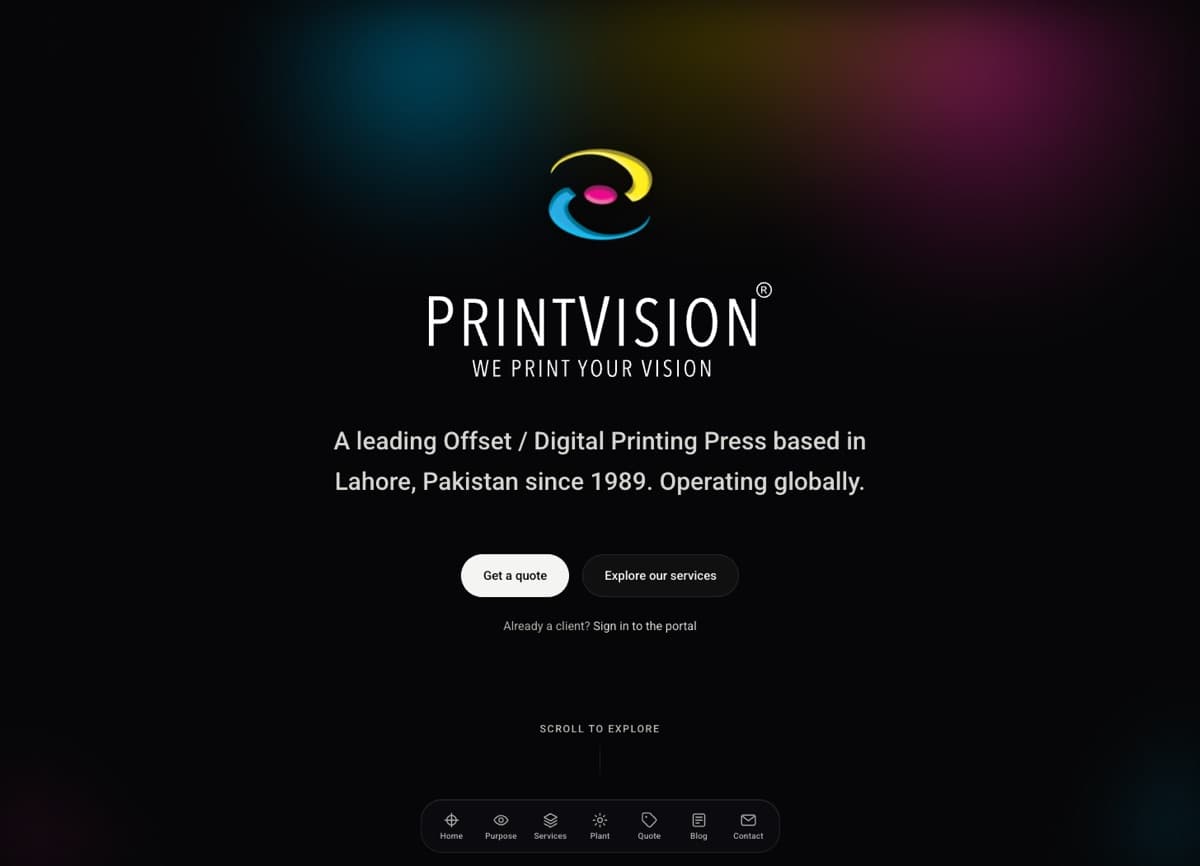
The single most useful thing I do on any redesign is crawl the old site before writing a word for the new one. When I took on PrintVision, a printing and packaging house in Lahore, the crawl found the shop page returning a 404 while roughly forty eight demo store products, things like a bird tank top and a pet leash, still sat in the sitemap. The blog was live and empty. The stat counters rendered as broken text in the HTML, so a printer with decades of history was showing visitors “0M+”. None of that was visible from the home page. All of it shaped the plan.
Your audit should produce four lists:
- Every URL search engines know about. Pull it from your current sitemap and from the Pages report in Google Search Console, not from your menu. Old sites usually have more indexed pages than their owners think: tag archives, attachment pages, old landing pages.
- The pages that earn their keep. In Search Console’s Performance report, sort pages by clicks over the last 12 months. In your analytics, find the pages where enquiries actually start. These are the pages you cannot afford to lose or weaken.
- What is broken. 404s, duplicate content, broken forms, images with text baked in, pages that only exist because a plugin created them.
- Your baseline numbers. Monthly organic clicks, form submissions, calls, and your current Core Web Vitals. Without a before, you can’t prove an after.
For speed, use field data rather than a one-off lab test. PageSpeed Insights reports real Chrome users over a trailing 28-day period, which is a fairer picture than a single run from your office Wi-Fi. Screenshot it. You will want it later.
Phase 2: set goals the new site will be judged against
“Modern and clean” is not a goal. A goal is something you can check in six months. Pick two or three:
- More quote or appointment requests per month from the same traffic.
- Better qualified enquiries, so fewer calls that go nowhere.
- Core Web Vitals in the “good” range on mobile.
- Your team can update hours, services and staff without calling a developer.
- A specific audience, like referral partners or job applicants, gets its own clear path.
On PrintVision the commercial goal was to stop hiding the strongest asset, a client list of pharmaceutical manufacturers, behind a logo strip near the footer. The quote form was another: an email-and-hope form became a four-step specification intake, so the sales team gets the details they need on the first message. Every design decision after that was checked against those two goals.
Write a content rule too. Ours was proof over adjectives: a published minimum run beats “high volume capability”, named press models beat “state of the art”. Draft figures that were marked “to be confirmed” stayed off the site until they were. If a number on your site can’t be backed up, cut it before a customer asks.
Phase 3: plan content and structure before design
Designers want to start with the home page. I start with a page list, because the structure decides what the design has to hold.
- List every page the new site will have, one row each, with its purpose and the one action you want visitors to take there.
- Match old URLs to new pages. Every URL from your audit gets a destination. Where a page survives, keep its address exactly. On my own rebuild, portfolio pages stayed at the same
/portfolio/addresses and needed no redirect at all. The safest redirect is the one you don’t need. - Write the copy, or at least the real headings, before layouts are finalised. Lorem ipsum hides the fact that your services page needs 600 words, not 60.
- Decide who edits what. If marketing staff will change pages weekly, the platform has to make that easy. If copy changes a few times a year, a code-based site can be fine.
One thing not to do: launch an empty blog or empty sections “to fill later”. An empty blog tells visitors nobody is home. PrintVision launched with fifteen posts already written. If you can’t write any yet, leave the blog out of the menu until you can.
Phase 4: build with the standards in from the start
Performance, accessibility and search basics are cheap when they are part of the build and expensive when they are bolted on after a launch. These are the checks I hold every page to before it ships.
Mobile first, with matching content
Google uses the mobile version of a site for indexing and ranking, and asks that mobile pages carry the same primary content, structured data, titles and descriptions as desktop. A redesign that hides service details behind a “desktop only” section on phones is quietly removing them from search.
Speed targets
Google’s web.dev team defines good Core Web Vitals as LCP within 2.5 seconds, INP of 200 milliseconds or less, and CLS of 0.1 or less, measured at the 75th percentile of page loads. If those letters are new to you, read Core Web Vitals, explained for business owners. In practice the biggest wins are usually media. On PrintVision the plant video was the heaviest asset, and the fix was compressing it from 26MB to 7.4MB at 720p, showing a poster image first, and only playing it once a visitor scrolls to it.
Accessibility
Build to WCAG 2.2 AA. A good first check anyone can do: body text needs a contrast ratio of at least 4.5:1 against its background, and the trendy pale grey on white often fails it. Also check that every form field has a visible label, every image that carries meaning has alt text, and the whole site works with a keyboard.
Search basics on every page
A unique title and description, one canonical URL, structured data that matches what the page actually says, and a sitemap generated from the same data as the pages so it can’t drift. My technical SEO checklist for small businesses covers each of these in detail, so I won’t repeat it here.
Staging stays private, then gets unlocked
Keep the staging site behind a password or noindex while you build. Then be careful at launch: Google notes that a noindex rule only works if the page is not blocked in robots.txt, and a noindex tag accidentally carried over to the live site will drop pages from search. Removing it is a launch-day task with a name next to it.
Phase 5: launch day
Launch on a quiet weekday morning, never a Friday afternoon, and have someone available to fix things for the rest of the day.
| Check | What “done” looks like |
|---|---|
| Redirects | Every old URL from your audit returns one permanent redirect straight to its new page, with no chains. |
| Redirect type | 301 or 308, set on the server, not with JavaScript. |
| Indexing | No stray noindex on public pages; robots.txt allows crawling and points to the sitemap. |
| Private areas | Logins, portals and thank-you pages are kept out of the index on purpose. |
| Forms | Every form submitted once for real, and the message arrived where it should. |
| Tracking | Analytics and conversion events fire on the new pages. |
| Search Console | New sitemap submitted; key pages checked with URL Inspection. |
| Phones and maps | Click-to-call works; Google Business Profile links to the right new page. |
Redirect type matters more than most people think. Google says a permanent redirect is used as a signal that the new page should be canonical, and a temporary one is not. Its site move guidance also warns against sending many old URLs to one irrelevant page such as the home page, because that can be treated as a soft 404. Each old page should land on its closest real replacement. Set redirects on the server, too: Google warns that if a JavaScript redirect fails to render, Googlebot may never see it, and lists 301 and 308 as the permanent server-side options. I walk through a full redirect map with code in migrating WordPress to Next.js without losing SEO.
On PrintVision, twelve routes went live with ten of them indexed. The two left out, the client login and portal, were kept out deliberately.
Phase 6: the first 90 days after launch
The redesign is not finished at launch. This is when you find out if it worked.
- Week 1: run your old URL list against the live site again. Fix any 404 the same day. Check the Pages report in Search Console for new errors.
- Weeks 2 to 6: expect movement. Google says that for medium-sized sites it can take a few weeks or more for new URLs to show, with temporary ranking fluctuation along the way. Watch for a steady slide, not a wobble.
- Month 3: compare against the baseline from Phase 1: clicks, enquiries, calls, Core Web Vitals field data. This is the moment you judge the project, against the goals you wrote in Phase 2.
- Ongoing: keep the redirects. Google recommends keeping them as long as possible, generally at least 1 year. I treat them as permanent, because there is no benefit to removing them.
Run an audit against your own new site too. After PrintVision launched I audited my own work, shipped three of the top five fixes that week, and declined two with the reason written down. A recommendation you decline for a stated reason is a decision. One nobody records is just something that got forgotten.
The website redesign checklist on one page
- Three written reasons the current site is failing, and confirmation they need a redesign rather than a fix.
- A full URL inventory from the sitemap and Search Console.
- Top pages by clicks and by enquiries, marked as protected.
- Baseline numbers: clicks, enquiries, calls, Core Web Vitals field data.
- Two or three measurable goals, plus a content rule.
- A page list with a purpose and one action per page.
- An old-to-new URL map, keeping existing addresses wherever possible.
- Real copy before final layouts; no empty sections at launch.
- Mobile content parity, Core Web Vitals targets, WCAG 2.2 AA checks.
- Titles, descriptions, canonicals, structured data and a generated sitemap.
- Launch-day table above, completed with a name on each row.
- Week 1, week 6 and month 3 reviews booked in the calendar before launch.
Frequently asked questions
How long does a small business website redesign take?
It depends far more on content than on design. The build is rarely the slow part. Waiting for copy, photos, approvals and decisions about services is. Having your page list and copy ready in advance is the biggest single thing you can do to shorten it.
Will a redesign hurt my Google rankings?
It can, if URLs change without permanent redirects, content is removed, or a noindex tag slips through. Done carefully, some short-term fluctuation is normal and Google says so in its own site move guidance. A sustained drop usually points to something specific you can find and fix.
Should I keep my old URLs?
Wherever the page still exists, yes. Change a URL only when there is a real structural reason, and then redirect the old address permanently to the new one.
What is the most common redesign mistake you see?
Skipping the audit. Without a list of what the old site did, nobody can tell what the new one lost.
Planning a redesign?
If you want help deciding whether you need a redesign or a few targeted fixes, take a look at what I do or get in touch. I’ll start where I always do: by crawling the site you have and telling you honestly what I find.