If you run a home care agency, you already know the phone doesn’t stop at 5 p.m. It just moves to someone’s kitchen table. A coordinator takes the on-call phone home, a caregiver calls off at 5:40 a.m., a worried daughter calls at 9 p.m., and by Friday the person holding that phone is updating their résumé.
The short answer: you have three realistic ways to cover after-hours calls. You can keep a staff on-call rotation, hire a medical answering service, or put an AI voice agent in front of the calls with a clear path to a human. Most agencies I’ve worked with end up with a blend, and the right blend depends on what actually comes in after hours, not on which option sounds most modern. This post walks through each one, what it really costs, and what must always reach a person.
What actually comes in after 5 p.m.
Before comparing options, pull a month of after-hours calls and sort them. In my experience at home healthcare agencies, they fall into five buckets, and each one needs a different response.
- Caregiver call-offs: “I’m sick, I can’t make my 7 a.m. shift.” These are the most urgent operationally, because every minute before the shift starts is time to find coverage.
- Family questions and concerns: a caregiver running late, a schedule question, a complaint, or a family member who is simply anxious. Some are routine, and some are the first sign of a real problem.
- New referrals and inquiries: a discharge planner finishing a shift, or an adult child researching care at night. These are revenue, and they often call the next agency on the list if nobody picks up.
- Missed clock-ins: a visit that should have started and hasn’t. Sometimes it’s a phone issue, sometimes a client is alone and waiting.
- Emergencies: a fall, a client who is unresponsive, chest pain. These belong with 911 first, then your clinical or on-call staff. No phone system should slow that down.
Option 1: an on-call staff rotation
This is the default for most small agencies. A coordinator, scheduler or the owner carries the phone on a rotating schedule, handles call-offs, finds coverage and escalates anything clinical.
What it does well
The person answering knows your clients, caregivers and schedule, and can actually fix things: call a backup caregiver, reassure a family by name, make a judgment call.
The hidden costs
- Burnout: a week of broken sleep takes a toll, and your best coordinators are usually the ones who carry the phone most.
- Pay and overtime exposure: under the federal Fair Labor Standards Act, the Department of Labor says an employee required to stay on call at home is, in most cases, not working while simply on call, but additional restrictions can change that. Time spent actually handling calls is a separate question. The DOL’s fact sheet on hours worked is the place to start, and your state may have its own rules.
- Coverage gaps: the phone gets missed in the shower, on a drive, or when two calls arrive at once, and nobody logs those misses.
- Nothing gets recorded: a call-off handled at midnight lives in one person’s memory or text thread until morning.
A rotation works when volume is low and the load is shared. It breaks when the same two people are always on call.
Option 2: a medical answering service
A medical answering service puts live operators on your line after hours. They answer with your agency’s name, follow a script you approve, take messages and page or call your on-call person based on rules you set.
How pricing typically works
Most services bill by the minute of operator time: a monthly plan with included minutes and an overage rate above it. Some bill per call instead, and some add setup or patch-through fees. As examples of current published pricing, PATLive’s plans run from $189 a month for 100 minutes to $759 for 500 minutes, with overage between roughly $1.79 and $2.99 a minute depending on the plan, and Specialty Answering Service lists $159 for 100 minutes and $649 for 500 minutes. Prices change and vary a lot by vendor, so treat these as a sense of the range, not a quote.
The limit: message-taking vs action
An answering service is excellent at making sure a human answers and a message gets taken. It usually can’t act inside your systems. When a caregiver calls off, the operator takes the message and pages your on-call coordinator, who still has to wake up, open the schedule and find coverage. The call got answered, but the work still landed on your staff. For a referral, you get a message slip rather than a structured intake record in your CRM.
Option 3: an AI voice agent with a human escalation path
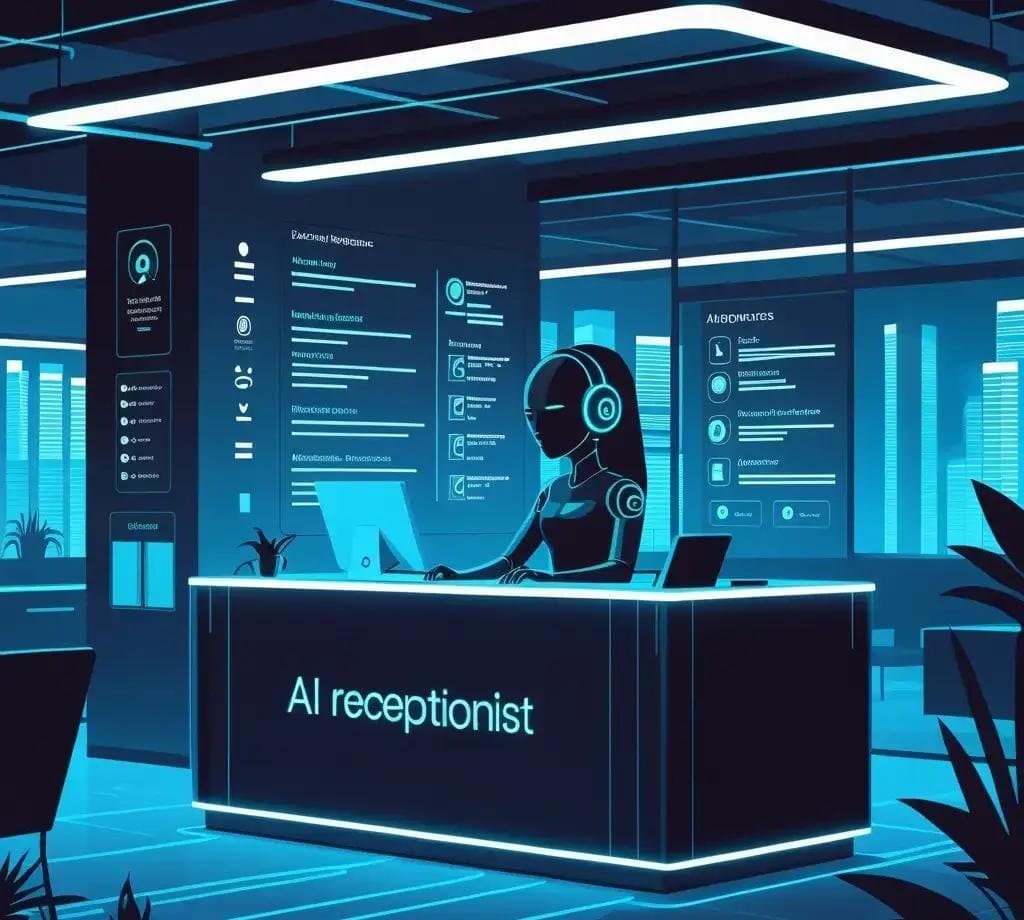
The third option is an AI voice agent that answers every call, handles the structured parts, and hands everything else to a person. I won’t re-explain how AI receptionists work in general here; I covered that in the $3,000 employee every business can afford. What matters for home care is what the agent is allowed to do after hours.
What it can do
- Triage: ask a few set questions to sort the call into call-off, family concern, referral, missed visit or emergency.
- Log call-offs: capture the caregiver, the shift and the reason, write it into your scheduling system or a shared log, and flag the open shift.
- Capture referral details: collect the caller’s contact information, the referral source, the type of care needed and a callback time, and create a lead record so intake can follow up first thing.
- Text the on-call coordinator: send a short, structured summary (“Open shift: 7 a.m., client in Plano, caregiver called off sick”) instead of a vague voicemail, and call them for anything urgent.
When I designed an AI receptionist for a home healthcare agency, the escalation rules took more thought than anything the AI said. That is where the value and the risk both live.
What it must never do
It must never give clinical advice, assess symptoms, tell a family whether something is serious, or talk anyone out of calling 911. If a caller describes a possible emergency, the agent should tell them to hang up and call 911, then alert your on-call clinical contact.
On cost, the usage side is small. For example, Retell AI’s published pricing lists voice agents at roughly $0.07 to $0.31 a minute depending on the model and features, with a custom BAA on its enterprise plan. The larger costs are setup, connecting it to your scheduling system and CRM, phone numbers, testing and ongoing monitoring, and those vary widely with how much integration you need.
Side-by-side comparison
| Factor | On-call rotation | Medical answering service | AI voice agent + human escalation |
|---|---|---|---|
| Who answers | Your staff | Live operators | AI, then your on-call person |
| Knows your clients | Yes | Only what’s in the script | Only what you connect it to |
| Acts in your systems | Yes, manually | Usually no; takes messages | Yes, if integrated |
| Handles calls at once | One | Several | Many |
| Cost pattern | Staff time, on-call pay, turnover | Monthly plan plus per-minute or per-call overage | Setup and integration, then low usage fees |
| Main risk | Burnout and missed calls | Work still lands on staff | Bad escalation rules |
| Best for | Low volume, strong team | Wanting a human voice on every call | High volume of structured calls |
An illustrative cost comparison
These numbers are example assumptions to show the shape of the math, not quotes. Plug in your own call log.
Assume an agency gets 200 after-hours calls a month, averaging about 2.5 minutes each, for roughly 500 minutes.
- Answering service: at the published plans above, 500 minutes lands somewhere around $650 to $760 a month before extra fees. Your coordinator still handles every call-off and referral follow-up.
- AI voice agent: at $0.07 to $0.31 a minute, 500 minutes of platform usage is roughly $35 to $155 a month. Add phone numbers, any monthly management fee and the one-time cost of building and integrating it, which is where most of the spend sits.
- On-call rotation: the cash cost may look like zero, but add on-call pay, time actually spent on calls, and the cost of replacing a coordinator who leaves because of the phone.
The honest takeaway: AI usually costs less per minute, but it only pays off when it is connected well enough to take real work off your staff. An agent that just takes messages is an answering service with a robot voice.
What must always reach a human
Whichever option you choose, write these rules down and test them before go-live. In my experience, these calls should always reach a person, fast:
- Anything that sounds like an emergency: after the caller is told to call 911.
- A missed clock-in for a client who can’t be left alone: someone needs to find out why, now.
- An open shift that can’t be covered from the backup list: the coordinator decides what happens next.
- Any report of abuse, neglect, injury or a safety concern: these carry reporting obligations and need a trained person.
- A distressed or angry family member who asks for a person: never trap someone in a menu.
- A hospital or discharge planner who needs a same-night answer: that referral may not wait until morning.
If your setup can’t guarantee those six, it isn’t finished. I go further into where I keep AI out of the loop in where AI actually helps in home healthcare operations.
HIPAA and BAA checklist for any vendor
Answering services and AI voice platforms both hear client names, addresses and health details, which makes them business associates under HIPAA. HHS explains that covered entities generally need a written contract with business associates to make sure protected health information is safeguarded, and its cloud computing guidance is useful for software vendors that store or process calls. Before you sign, ask:
- Will you sign a BAA, and on which plan? (Some vendors only offer one on enterprise tiers.)
- Where are call recordings, transcripts and messages stored, and for how long?
- Which subcontractors (telephony, speech, AI model providers) touch our data, and are they covered?
- Who on your side can access recordings, and is that access logged?
- How do you verify a caller before discussing a client?
- How and how quickly will you notify us of a breach?
- Can we export or delete all our data if we leave?
The same questions apply to your web forms; see what a HIPAA-compliant website means for a home health agency.
Frequently asked questions
What is the best after hours answering service for a home care agency?
There isn’t one best service for every agency. The right choice depends on your call mix. If most calls are routine messages and you want a human voice, a medical answering service fits. If most calls are call-offs and referrals that need logging and fast follow-up, an AI voice agent connected to your systems, with a human escalation path, usually removes more work. Many agencies use both.
How much does a medical answering service cost?
Most services charge a monthly plan with included minutes plus a per-minute overage, and some bill per call. Published plans I checked range from about $159 to $189 a month for 100 minutes and about $649 to $759 for 500 minutes. Setup fees, patch-through fees and how minutes are rounded can change the real bill, so compare invoices, not headline rates.
Can an AI voice agent handle caregiver call-offs?
Yes, this is one of the best uses. The agent can take the caregiver’s name, the shift and the reason, log it, flag the open shift and text your on-call coordinator a clear summary. It should not decide who covers the shift unless you have explicitly built and tested that. The coordinator still makes the staffing call.
Is an AI receptionist HIPAA compliant?
No tool is compliant on its own. Compliance depends on how it is configured and on the agreements behind it. At minimum, the vendor and any subcontractors handling protected health information should sign a BAA, encrypt data, limit and log access, and have clear retention and breach-notification terms. Confirm the details with your compliance officer before any client information goes through it.
Getting your after-hours line under control
Start with the call log. Sort a month of calls into the five buckets, decide what must reach a human, and only then choose a tool. Your after-hours line also works better when the calls land in one system instead of five; my post on home health CRM vs EMR covers where that data should live.
If you want a second pair of eyes on your after-hours setup, whether that means tightening an answering service script or designing an AI agent with proper escalation, tell me how your calls work today and I’ll give you an honest read on which option fits.