A home health or home care website is used by exactly the people accessibility rules were written for: older adults with low vision, adult children filling in a form on a phone at night, a caregiver applicant who navigates with a keyboard, a Deaf family member watching your “first visit” video. If they can’t use your site, they call someone else, and your agency may be out of step with federal civil rights rules.
The short answer: if your agency receives Medicare or Medicaid funds, HHS’s Section 504 rule requires your web content and mobile apps to meet WCAG 2.1 Level AA, and the compliance date is now May 11, 2027 for recipients with 15 or more employees and May 10, 2028 for smaller ones. The 2024 Section 1557 rule separately requires your health programs delivered through technology to be accessible, and it already applies. Here is how I read the rules and what I check on an agency site.
Three rules, three different jobs
“ADA compliance” sounds like one requirement. In practice three federal frameworks apply, and they do different jobs.
Section 504: the rule that names WCAG 2.1 AA
On May 9, 2024, HHS published its updated Section 504 rule for recipients of HHS federal financial assistance. Its new subpart on web and mobile accessibility (45 CFR 84.84) requires recipients to make the web content and mobile apps they provide, “directly or through contractual, licensing, or other arrangements,” conform to WCAG 2.1 Level A and Level AA.
That last phrase means your scheduling widget, job portal and chat tool are covered even when a vendor runs them.
Are you a recipient? HHS has long treated Medicare Part A as federal financial assistance, Medicaid funding flows through HHS, and in the 2024 Section 1557 rule HHS confirmed that Medicare Part B counts too. Most Medicare-certified home health agencies and Medicaid-billing personal care agencies are recipients. A purely private-pay agency may not be, but the ADA, covered below, still applies.
The 2026 extension of the 504 deadlines
The original 504 compliance dates were May 11, 2026 for recipients with 15 or more employees and May 10, 2027 for smaller recipients. On May 7, 2026, HHS issued an interim final rule extending each by one year:
- 15 or more employees: May 11, 2027.
- Fewer than 15 employees: May 10, 2028.
The technical standard did not change. HHS also states in the same rule that the delay “does not relieve recipients of their other obligations under Section 504,” including making reasonable modifications for people with disabilities. If a client’s daughter tells you she can’t complete your online form with her screen reader, you still have to help her today.
Section 1557: accessibility is already required
The Section 1557 final rule, published May 6, 2024 and effective July 5, 2024, covers health programs that receive HHS funding. Section 92.204 says a covered entity must ensure its health programs and activities provided through information and communication technology are accessible to individuals with disabilities, unless that would cause undue burden or a fundamental alteration. For websites and mobile apps, it points recipients to the requirements of Section 504.
Section 1557 itself did not adopt a specific technical standard. HHS said it “strongly encourages” covered entities to use current WCAG standards. In short: 1557 makes digital accessibility an obligation now, and the 504 rule sets the measuring stick and the hard deadline.
The 1557 rule also put two notices on your website, as published in 2024: a notice of nondiscrimination (due within 120 days of July 5, 2024) and a notice of availability of language assistance and auxiliary aids, in English and at least the 15 most common non-English languages in your state (due within one year). Both must sit in a conspicuous location on the site. Check that yours are there and current.
The ADA: Title II and Title III
In April 2024 the Department of Justice adopted WCAG 2.1 AA for state and local governments under ADA Title II. On April 20, 2026, DOJ published an interim final rule moving those dates to April 26, 2027 for entities serving 50,000 or more people and April 26, 2028 for smaller ones and special districts. Title II only applies directly if your agency is part of a county, hospital district or other public entity.
Private agencies fall under Title III. DOJ’s guidance on web accessibility and the ADA says businesses open to the public must make what they offer on the web accessible, even though DOJ has no Title III regulation naming a specific standard. WCAG is the yardstick people use in practice.
What WCAG 2.1 AA means on an agency website
WCAG 2.1 has dozens of success criteria. On home health and home care sites, the same handful cause most of the failures I see.
Forms: inquiry, referral and job applications
Forms are where agencies win or lose clients and caregivers, and they fail in predictable ways:
- Placeholder text used as the only label. It disappears when someone starts typing and is often too faint. Every field needs a visible label tied to the input (Labels or Instructions, 3.3.2).
- Errors shown only in red. Say what is wrong in text, next to the field (Error Identification, 3.3.1, and Use of Color, 1.4.1).
- A submit that silently succeeds or fails. Confirmation messages should be announced to screen readers (Status Messages, 4.1.3).
- No autocomplete. Name, phone, email and address fields should declare their purpose so browsers can fill them (Identify Input Purpose, 1.3.5). That helps older visitors and people with motor disabilities a lot.
A short inquiry form is also safer for privacy, as I explain in my post on HIPAA and your home health website.
Contrast and text size
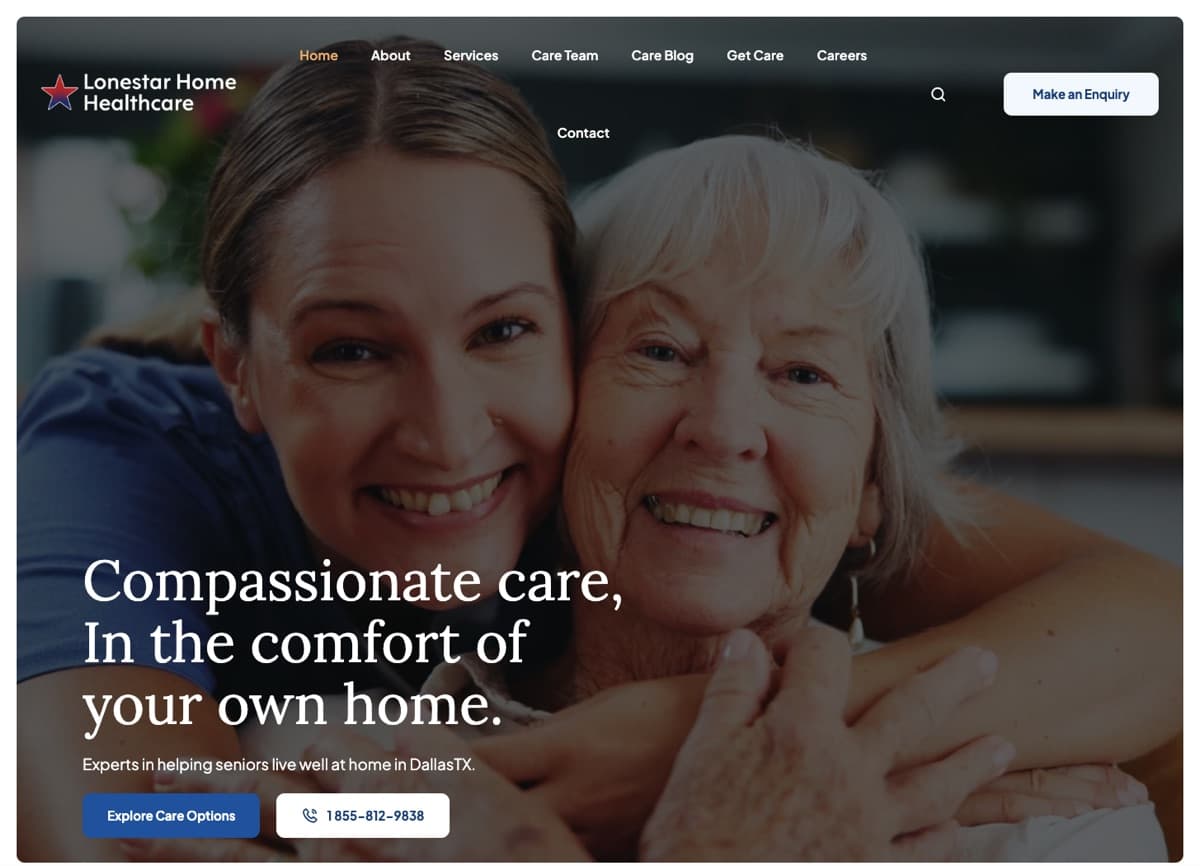
Body text needs a contrast ratio of at least 4.5:1 against its background, and large text at least 3:1 (Contrast Minimum, 1.4.3). Buttons, form borders and focus outlines need 3:1 against what surrounds them (Non-text Contrast, 1.4.11). The usual offenders: pale gray text, white headlines over caregiver photos and pastel buttons. Text should also stay usable at 200 percent zoom (1.4.4) and the page should reflow on a narrow screen without sideways scrolling (Reflow, 1.4.10).
Video and audio
Prerecorded video with speech needs synchronized captions (1.2.2), and at Level AA it also needs audio description when important information is only shown visually (1.2.5). Auto-generated captions are a starting point: they routinely mangle medication names, city names and your agency’s own name. If a video plays automatically with sound for more than three seconds, users need a way to pause or mute it (1.4.2).
Keyboard navigation and focus
Everything must work without a mouse (Keyboard, 2.1.1), and the keyboard user must be able to see where they are (Focus Visible, 2.4.7). Press Tab from the top of your homepage: can you reach the phone number, menu, “Request care” button and every form field in a sensible order, and always see the highlight? Pop-ups and mobile menus that trap focus, or that can’t be closed with the keyboard, are common failures.
PDFs and documents
Agencies love PDFs: brochures, client rights statements, admission packets. The 504 rule does exempt some preexisting documents posted before your compliance date, but not if they are “currently used to apply for, gain access to, or participate in” your programs. A fillable intake PDF or a caregiver application PDF that people still use is in scope. Scanned images of paper forms are the worst case, because to a screen reader they are blank. Where you can, turn them into real web pages.
Chat widgets, schedulers and other third-party tools
“The vendor built it” is not a defense. Before adding a chat bubble, an AI assistant or a booking widget, I check that it can be opened, used and closed with a keyboard, that new messages are announced to screen readers, that it doesn’t cover content on small screens, and that it doesn’t time out a slow typist without warning (Timing Adjustable, 2.2.1). When I designed an AI receptionist for a home healthcare agency, a phone line was part of the point: some people will always prefer to talk to someone.
Why overlays don’t fix it
Overlays are the one-line scripts that add a floating accessibility icon and promise instant compliance. They can’t add missing form labels, caption your videos, fix a scanned PDF or untangle a broken focus order.
Regulators have noticed the marketing, too. In April 2025 the Federal Trade Commission finalized an order requiring accessiBe to pay $1 million over claims that its AI widget could make any website WCAG compliant. The order bars the company from making that claim without evidence. My advice is simple: spend overlay money on fixing the actual pages.
An accessibility audit checklist for your agency site
When I build agency sites, including the one for Lonestar Home Healthcare, these are the checks I run before launch and after any big change.
- Confirm your status. Do you receive Medicare or Medicaid funds, and do you have 15 or more employees? That sets your 504 date: May 11, 2027 or May 10, 2028.
- Inventory everything. List every page, form, PDF, video and third-party tool (chat, scheduler, job portal, payment page). You can’t fix what you haven’t listed.
- Run the keyboard test. Tab through your homepage, a service page, the contact form and the careers page. Note anything you can’t reach, can’t see or can’t close.
- Check contrast. Test text, buttons and focus outlines against the 4.5:1 and 3:1 ratios, especially text over photos.
- Review every form. Visible labels, text error messages, autocomplete on personal fields and an announced confirmation.
- Caption every video. Correct the auto captions by hand and add audio description where the visuals carry information.
- Triage your PDFs. Anything people use to apply, enroll or get care gets converted to an accessible page or remediated. Retire the rest or mark them archived.
- Test with a screen reader and zoom. Use VoiceOver on a Mac or iPhone, or NVDA on Windows, and zoom the browser to 200 percent. Listen for unlabeled buttons and images without useful alt text.
- Ask your vendors in writing. Request an accessibility conformance report or similar documentation for each embedded tool, and ask what WCAG version and level they test against.
- Check the 1557 notices. Make sure the nondiscrimination notice and the language assistance notice are posted conspicuously on the site.
- Publish a way to ask for help. An accessibility statement with a phone number and email, so anyone who hits a barrier can still reach you.
My home care agency website checklist covers the rest of what a good agency site needs. Accessibility is far cheaper in the first build than as a retrofit.
Frequently asked questions
Does my home health agency website have to meet WCAG 2.1 AA?
If your agency receives federal financial assistance from HHS, which includes Medicare and Medicaid payments for most agencies, the Section 504 rule requires your web content and mobile apps to conform to WCAG 2.1 Level AA by May 11, 2027 with 15 or more employees, or May 10, 2028 with fewer. Private-pay agencies should still treat WCAG 2.1 AA as the practical standard under the ADA.
Did the May 2026 deadline go away?
It moved. HHS’s interim final rule, effective May 7, 2026, pushed both Section 504 web and app deadlines back one year. The WCAG 2.1 AA standard stayed the same, and your other Section 504 obligations, such as reasonable modifications for someone who can’t use the site, still apply now.
What does Section 1557 require for websites?
Section 92.204 of the 2024 rule requires covered entities to make health programs and activities delivered through technology accessible to people with disabilities, and it applies already. For websites and mobile apps it points to Section 504. The rule also requires a notice of nondiscrimination and a language assistance notice to be posted in a conspicuous place on your website.
Will an accessibility overlay or widget make my site compliant?
No. Overlays can’t fix missing form labels, uncaptioned video, inaccessible PDFs or broken keyboard navigation in the underlying code. In 2025 the FTC finalized an order against one overlay vendor over claims that its tool could make any site WCAG compliant. Fix the pages themselves and test with real people and assistive technology.
Want a second pair of eyes?
Most agency sites don’t need a rebuild to become accessible. They need forms fixed, colors adjusted, videos captioned and a few vendor tools swapped. If you’d like me to walk through your site and give you a prioritized list before your deadline, get in touch.