If you run a home care agency, you probably have more open shifts than applicants who make it to orientation. The ads get clicks, people apply, and then most of them disappear somewhere between “submitted” and “first shift.” Usually nobody on your team did anything wrong. The process was just too slow for someone who applied to four other agencies the same night.
The short answer: caregiver recruitment automation works when it removes waiting, not people. Respond to every applicant within minutes, let them apply and book an interview from a phone, run the required Texas checks in a fixed order with reminders, and keep humans in charge of interviews, criminal history decisions and client matching. Here is how I would set it up.
Why caregiver hiring is a speed problem
Demand is not the issue. The Bureau of Labor Statistics projects employment of home health and personal care aides to grow 18 percent from 2025 to 2035, with about 760,500 openings a year on average, and lists 2025 median pay at $35,800 a year ($17.21 an hour). You can read the numbers in the BLS Occupational Outlook Handbook. That is a lot of agencies competing for the same people.
In my work at home healthcare agencies, I see applicants drop off in the same places again and again:
- Slow first response: someone applies on a Tuesday night and hears back Thursday. By then another agency has already called.
- Long forms on a phone: a desktop-style application with employment history, references and uploads, filled in on a cracked phone screen during a lunch break.
- Phone tag: the recruiter calls during the applicant’s shift, leaves a voicemail, and the applicant calls back after the office closes.
- Paperwork limbo: the interview went well, but the applicant is waiting on a background check, a TB test or a missing document, and nobody tells them what happens next.
- A long gap before the first shift: orientation is done, but the first client visit is two weeks out, so they take the job that can start Monday.
Every one of those is a waiting problem, and waiting is exactly what automation is good at removing.
The hiring funnel, step by step
Here is the funnel I would map for a Texas home care agency. The point of writing it down is to see who owns each step and where an applicant can stall.
- Job post: clear pay range, service area, shift types and requirements, linking to a short application on your careers page (my home care agency website checklist covers what that page needs).
- Mobile apply: name, phone, email, zip code, availability, and the few knockout questions that truly matter (for example, reliable transportation if your clients need it). Everything else can wait.
- Instant acknowledgment and text screening: a message within minutes confirming the application, asking for consent to text, and asking three to five follow-up questions.
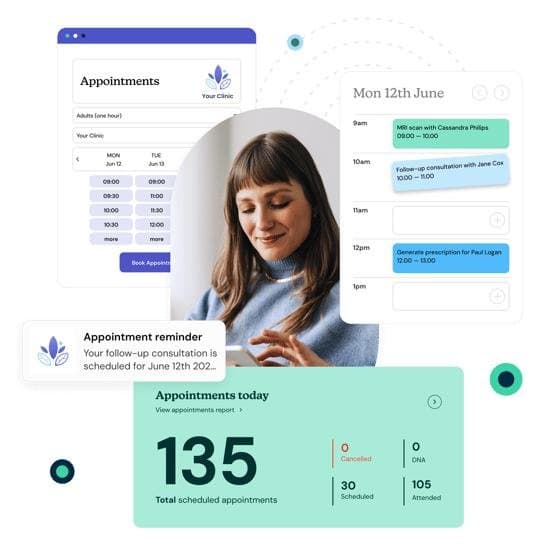
- Auto-scheduled interview: qualified applicants pick a slot from your recruiter’s real calendar, with reminders the day before and an hour before.
- Interview and conditional offer: a person talks to them and makes the call.
- Compliance checks: registries, criminal history and exclusion screening, done in a set order.
- Onboarding documents: I-9, W-4, policies, acknowledgments and certificates, sent as one mobile checklist with reminders.
- Orientation and training: agency orientation plus EVV clock-in training.
- First shift: scheduled with a client who is a good match, with a check-in call after the visit.
What to automate and what to keep human
I use a simple rule, the same one I use in my list of automation ideas for small businesses: automate the chasing, the reminders and the data entry, and keep people in charge of decisions about people.
| Step | Automate | Keep human |
|---|---|---|
| First response | Instant text and email, screening questions, FAQ answers | Writing the questions and the tone |
| Interview | Self-scheduling, reminders, rescheduling links | The interview itself and the hiring decision |
| Compliance checks | Task creation, due dates, reminders, storing proof of each search | Reviewing results and any criminal history decision |
| Onboarding | Document checklist, e-signatures, expiration tracking | Verifying identity documents for the I-9 |
| First shift | Orientation booking, training reminders, a 30-day check-in prompt | Matching the caregiver to a client |
Where an AI assistant fits
An AI assistant can do a lot of the front-of-funnel work well. It can answer applicant questions at 10 p.m. (“Do you pay weekly?”, “Do I need my own car?”, “Which areas do you cover?”), collect screening answers, and book the interview on the recruiter’s calendar. I designed an AI receptionist for a home healthcare agency, and the same principle applies here: it should work from answers you have approved, say “I’ll have someone from the team confirm that” when it doesn’t know, and hand off cleanly to a person. I cover that line in more detail in where AI actually helps in home healthcare operations.
What it should not do is reject applicants or make any call about a background check. Humans decide who gets hired.
Texas compliance checks you can’t skip
Automation should make these checks faster and better documented, never optional. For a licensed home and community support services agency (HCSSA) in Texas, the main pieces are below. Confirm the exact current requirements for your license type with HHSC.
Employee Misconduct Registry and Nurse Aide Registry
HHSC’s HCSSA training materials state that agencies must check unlicensed persons, volunteers and contractors against the Employee Misconduct Registry (EMR) and the Nurse Aide Registry (NAR) both before hire and annually, citing 26 TAC §558 and Health and Safety Code §253.008. A person listed as unemployable can’t be hired. See the HHSC HCSSA module on unlicensed personnel. Your system can create the “search EMR and NAR” task the moment an offer is made, require proof of the search to be uploaded before the file moves forward, and put the annual recheck on the calendar automatically.
Criminal history check under Chapter 250
Texas Health and Safety Code Chapter 250 bars covered employers from hiring an applicant who has been convicted of an offense listed in that chapter, and it covers home and community support services agencies. The same chapter has a limited provision for emergency hiring while a check is pending. Read the text in Chapter 250 of the Health and Safety Code and work out with your compliance lead exactly how your agency runs the DPS check.
OIG exclusion list
The HHS Office of Inspector General maintains the List of Excluded Individuals/Entities (LEIE). OIG says excluded people can receive no payment from federal health care programs for items or services they furnish, that anyone who hires someone on the list may face civil monetary penalties, and that health care entities should routinely check the list for new hires and current employees. The search is on the OIG exclusions page. It is easy to automate as a recurring roster check.
FCRA steps if you use a background check company
If a third-party company prepares a background report, the Fair Credit Reporting Act applies. The FTC’s guidance for employers lays out the steps: a standalone written disclosure, the applicant’s written permission, a pre-adverse action notice with a copy of the report and a summary of rights before you reject someone based on it, and then an adverse action notice. Software can send these documents on time. It shouldn’t decide to send the rejection.
Criminal history beyond the statute: individualized assessment
Chapter 250 decides the listed offenses for you. For anything else a check turns up, the EEOC’s enforcement guidance on arrest and conviction records matters. It says an arrest alone doesn’t establish that someone did something, and that screening without an individualized assessment is more likely to violate Title VII. That assessment means a person looking at the nature of the offense, how long ago it was, the job, and what the applicant has to say. This is the clearest example of a step that must stay human.
I-9 and onboarding paperwork
Every new hire still needs a Form I-9. Section 2 has to be completed within three business days of the first day of work, and employers enrolled in E-Verify can use a DHS-approved alternative procedure to examine documents over live video. An onboarding checklist can collect Section 1, the W-4 and your policy acknowledgments before orientation, so the I-9 appointment is quick and nothing expires unnoticed.
Texting applicants: consent basics
Text is usually the fastest way to reach caregiver applicants, which is why it is the backbone of most recruiting automation. It also brings the Telephone Consumer Protection Act into play. My practical approach:
- Ask for consent in the application: a clear checkbox that says you will text about their application and job opportunities, and that they can reply STOP at any time.
- Honor opt-outs right away: the FCC’s 2024 consent revocation order says people can revoke consent in any reasonable way, and that replies such as “stop,” “quit,” “end,” “revoke,” “opt out,” “cancel” or “unsubscribe” count.
- Keep hiring texts about hiring: don’t move applicants into marketing lists they never agreed to.
- Log it: store when and how consent was given and when it was withdrawn.
Have your attorney review the consent language once. After that, the automation handles it the same way every time.
Connecting hiring to scheduling and EVV
A hire isn’t finished when the paperwork is signed. It is finished when the caregiver completes a visit that clocks in correctly. That is where recruiting software, HR files and your scheduling system usually stop talking to each other.
When I helped build Pinn.Care, an ERP for home healthcare agencies, at Pinn.Media, the lesson that stuck with me was that the same person shouldn’t be typed into three systems. Once a caregiver is hired, their profile, availability, service area, languages and credentials should flow into scheduling, so a coordinator can match them with the right client. My guide to home healthcare agency software covers how those pieces fit together.
EVV training belongs in the same flow. The Texas EVV Policy Handbook requires caregivers to complete training on clock-in and clock-out methods, and missed clock-ins in the first weeks are a common source of manual visit edits. Book that training automatically with orientation, and add a reminder before the first shift. I go through the rules in my Texas EVV guide for agencies.
Metrics to track
You don’t need a big dashboard. These five numbers tell you where the funnel leaks:
- Time to first contact: from application to the first real response. If this is measured in days, fix it first.
- Application to interview rate: of the people who apply, how many actually attend an interview.
- Interview no-show rate: a direct read on whether your reminders and scheduling work.
- Time to hire and time to first shift: track both, because the gap between offer and first visit is where many new hires quietly leave.
- 90-day retention: the number that tells you whether you are hiring the right people, not just hiring fast.
Break each one down by job source, so you can see which ads bring in people who actually show up.
Frequently asked questions
What is caregiver recruitment automation?
It is using software to handle the repetitive parts of hiring: acknowledging applications, sending screening questions, booking interviews, sending reminders, tracking compliance checks and collecting onboarding documents. The goal is to cut waiting time for applicants and busywork for recruiters. People still run interviews, make hiring decisions and match caregivers to clients.
How can I hire caregivers faster without cutting corners?
Respond within minutes, keep the first application short, let applicants book their own interview, and start compliance tasks the moment you make a conditional offer. Speed comes from removing gaps between steps. The checks themselves, including the EMR, NAR and criminal history checks, stay in place and are better documented when a system tracks them.
What background checks does a Texas home care agency need before hiring?
For unlicensed staff at an HCSSA, HHSC materials require searches of the Employee Misconduct Registry and Nurse Aide Registry before hire and annually, and Health and Safety Code Chapter 250 requires a criminal history check and bars listed offenses. Many agencies also screen the OIG exclusion list. Confirm the current rules for your license with HHSC and your compliance officer.
Can AI screen out caregiver applicants?
I wouldn’t let it. An AI assistant is useful for answering questions, collecting information and booking interviews. Rejection decisions, and especially anything involving criminal history, need a person. The EEOC’s guidance favors individualized assessment, and FCRA requires specific notices before adverse action based on a background report.
Do I need consent to text caregiver applicants?
You should get clear consent before sending automated texts, usually with a checkbox on the application, and you must honor opt-outs such as “STOP.” Keep a record of when consent was given and withdrawn, and have your attorney review the wording once.
Want help mapping your hiring funnel?
I’m a Solutions Architect at Lonestar Home Healthcare, based in Allen, Texas, and I spend a lot of my time on the systems behind home care operations. If you want someone to look at where applicants are dropping out of your process, or how your hiring, scheduling and EVV tools should connect, get in touch and I’ll give you an honest read.